

Configuring Different OT in Ingress & TCMS V3
Introduction
Both TCMS V3 and Ingress can supports different OT schedule. Workers can work on different working schedule with different OT rate in a specific time.
Benefit
In this case, the software can view the working hours for normal OT and Different OT. The OT data can be exported to payroll for salary calculation without any time!
Procedure
Step 1 • Configuring Different OT time periods in Clocking Schedule.
Step 1 • Configuring Different OT time periods in Clocking Schedule.
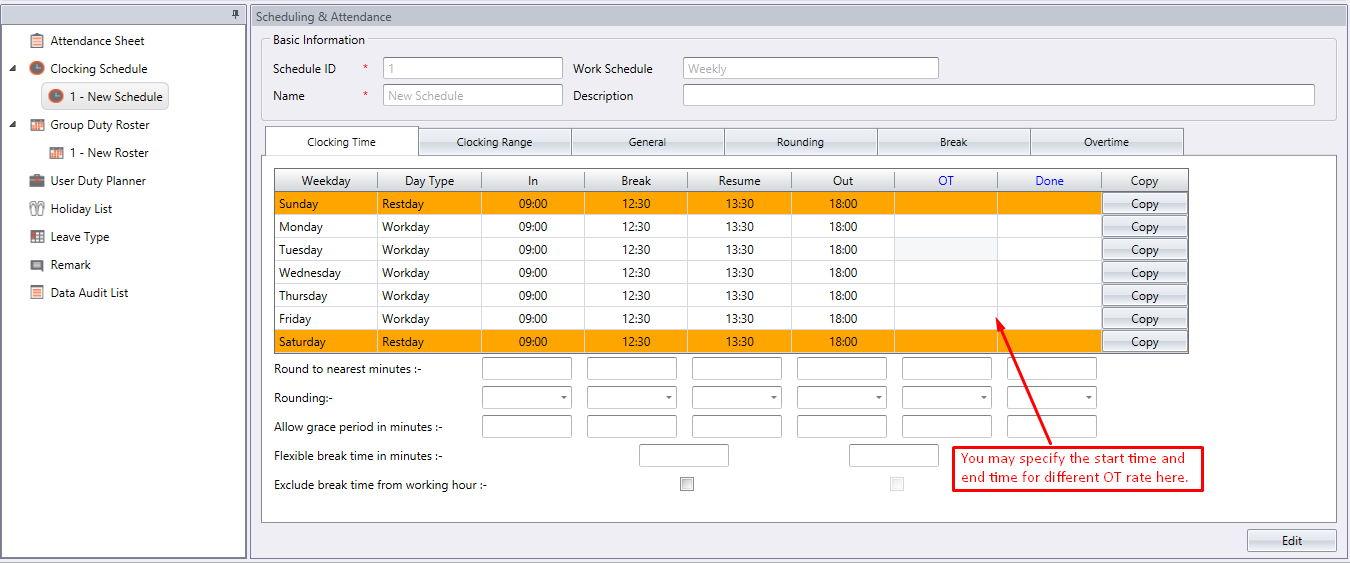
If a working environment that has several clocking schedules list, you may use this configuration for these clocking schedules.
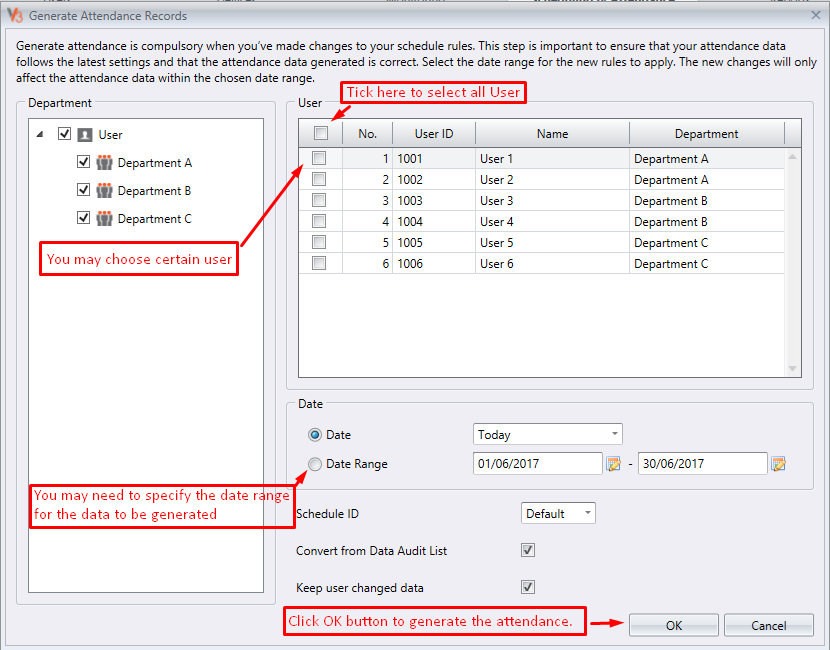
Step 2 • Generating a new Attendance Sheet after changes are made in the clocking schedule.
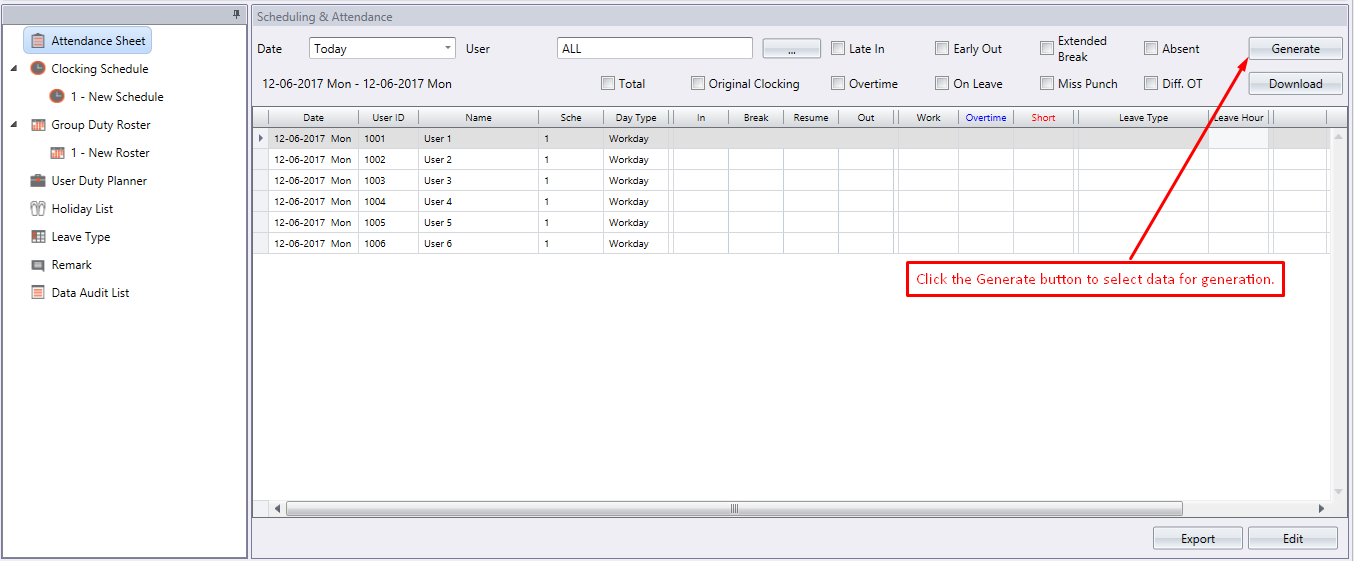
Step 3 • Viewing of data in Attendance Sheet.
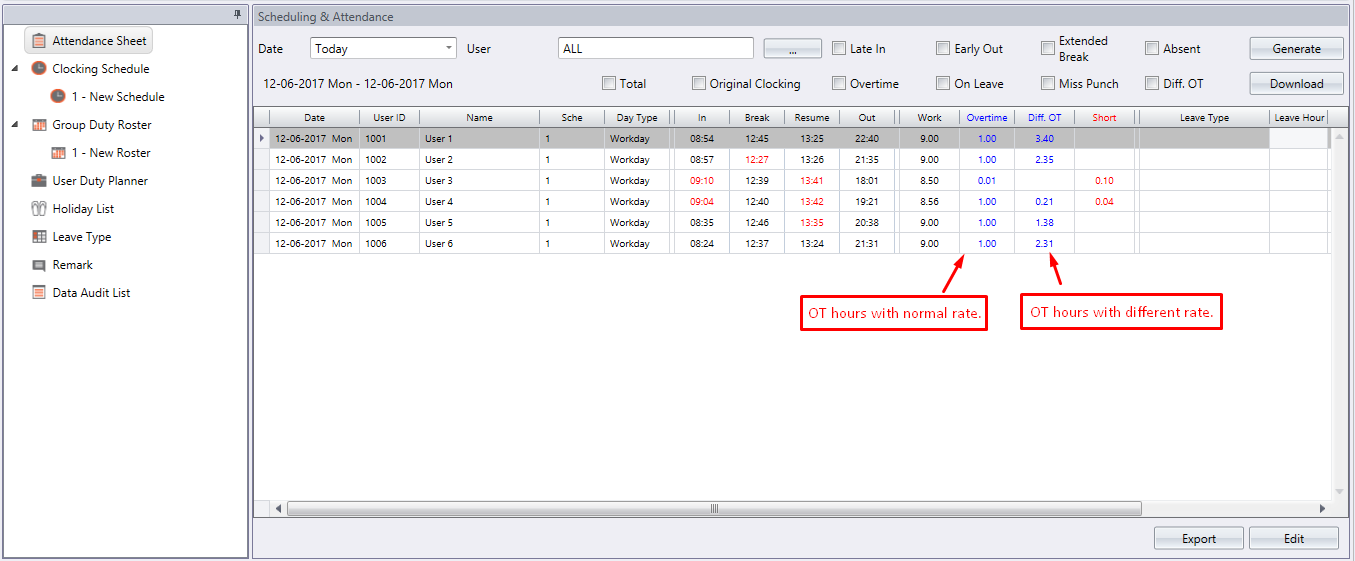
There is a new column “Diff OT” appears on the Attendance Sheet. The software splits the OT hours with normal rate and different OT into 2 columns, which make it easy for viewing and reading.
Step 4 • Exporting attendance data to payroll system.
The system allows you to export data in Text or Excel file format. To
export the data from both TCMS V3 and Ingress software to a third party payroll or
system, you may need to adjust the format and priority as you wish.
NOTE
• Please go into Attendance Sheet and you will find an “Export” button.
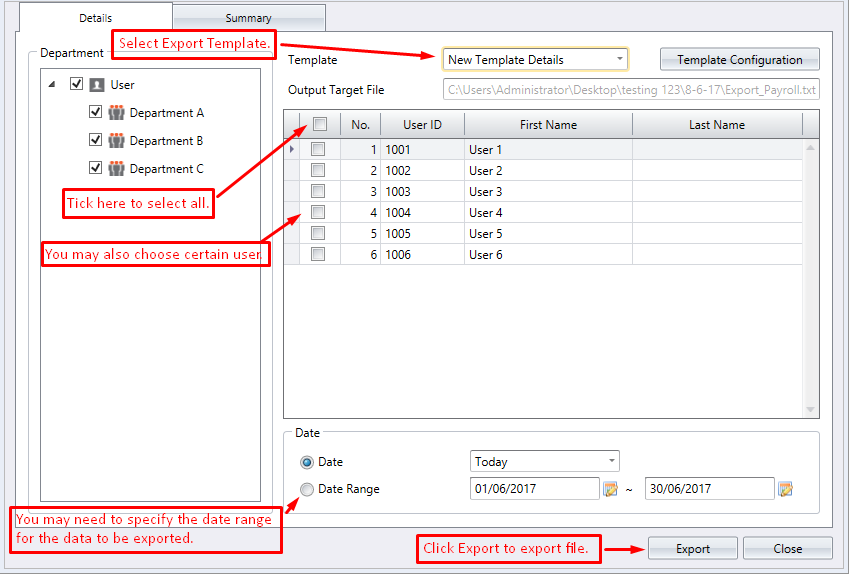
• Once you click “Export”, a new dialog box appears for you to choose users and date range to be exported.
• Please choose “export details” to get the interface as below.
|
Below is a sample of an exported file in Text file format.
It is advisable that you do a testing to find out the type of data your payroll system supported. A template need to be created before the file is exported.
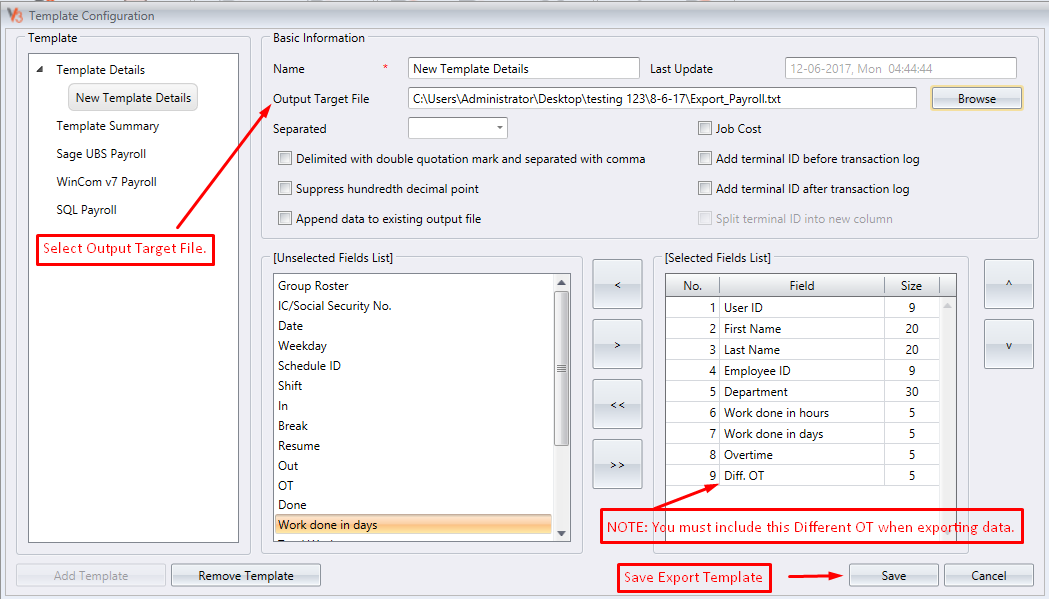


Where can find the Sage UBS payroll template setup
ReplyDeleteHi Sir.
DeleteGood day to you.
You may find the Sage UBS payroll template setup at Scheduling&Attendance->Export Payroll. Please refer to the following link:
http://prntscr.com/gwenc7
Why does TCMSV3 doesn't calculate rest day OT? In data audit list there are transaction on rest day.
ReplyDeleteKindly assist on where to configure OT for rest day.
Hello Gary,
ReplyDeleteGood day. For the step to configure the overtime during restday, please refer on the last example scenario from the following link.
https://www.fingertectips.com/2017/06/use-of-clocking-settings-for-overtime.html
This comment has been removed by the author.
ReplyDelete