Showing posts with label Firmware Update. Show all posts

FIRMWARE UPDATE FOR Q2I(FEM800) - Permanent Door Open Enhancement


Introduction:
FingerTec has updated Q2i FEM800 firmware which now includes an enhancement on Permanent Door Open feature to provide more flexibility in terms of scheduling door opening.

Benefits:
Permanent Door Open Close Time Zone feature in Ingress allows you to set the unlocking option for your doors with up to 3 different intervals daily. This feature is usually used in Service Centre whereby the front door is often kept unlocked for customer access without the need for staffs to unlock the door. Previous firmware of Q2i is only able to support 1 interval and with this firmware update, the system can now support up to 3 intervals.

Process:
For the Service Centre front door, it should remain open during working hours and close during lunch time. Hence, there are two time-interval to be included for this situation. Considering that the device is using normally close door, the two time zone intervals are:

1)  (0800 – 1200) – First Work Period: Door will automatically unlock at 8 am and lock at 12 pm.

2)  (1300 – 1700) – Second Work Period: Door will automatically unlock at 1 pm and unlock at 5 pm.

Steps in Ingress software:
1) Add new Time Zone
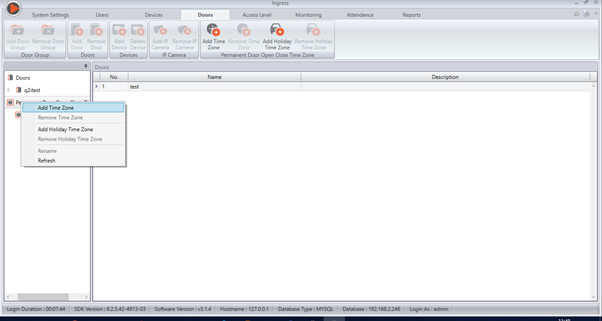

2) Set your interval as Permanent Door Open period.
In this situation, we need to include 2 intervals which are during First Work Period and Second Work Period.
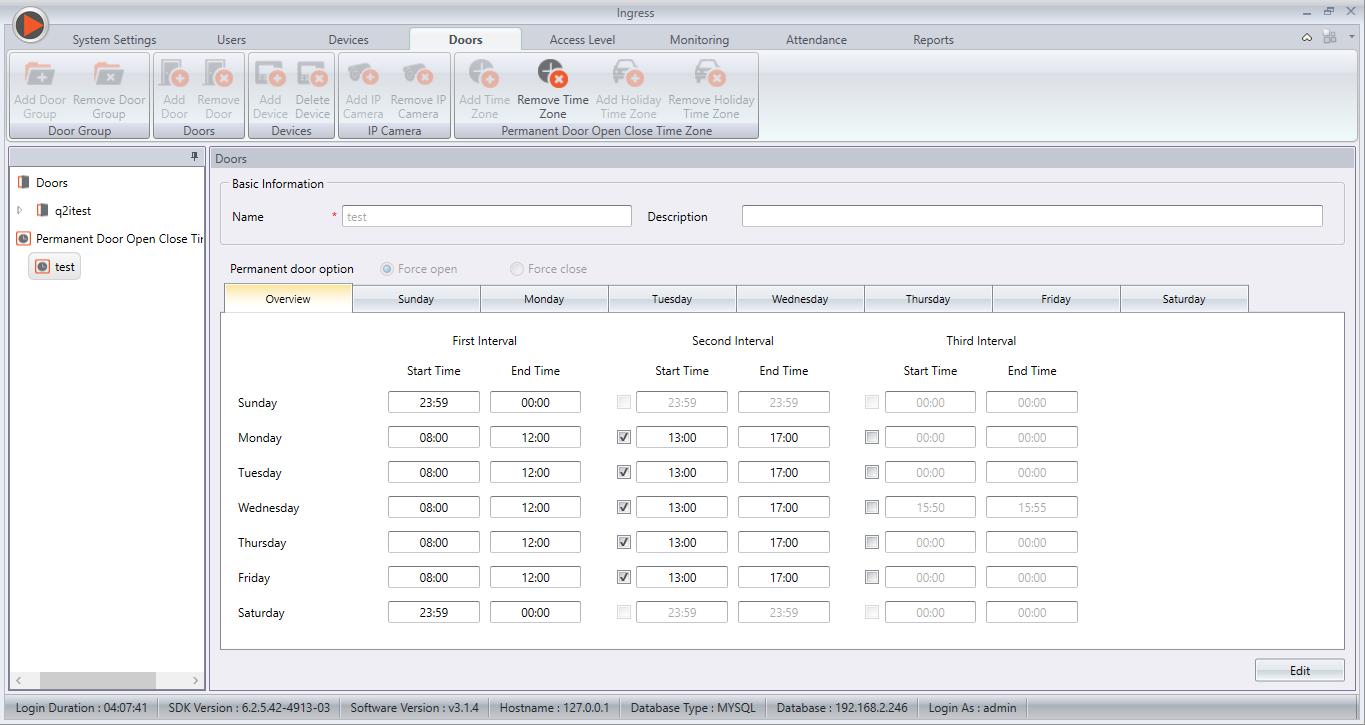
 
As Sunday and Saturday are rest day, the interval will remain (0000 – 2359) in order to ensure that the door is always lock.

3) Assign the Permanent Door Open Close to Your Doors
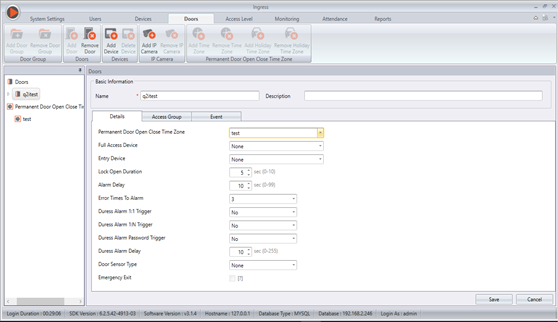
 
To change the settings of your door, click on your door name and click on Edit at “Details”.

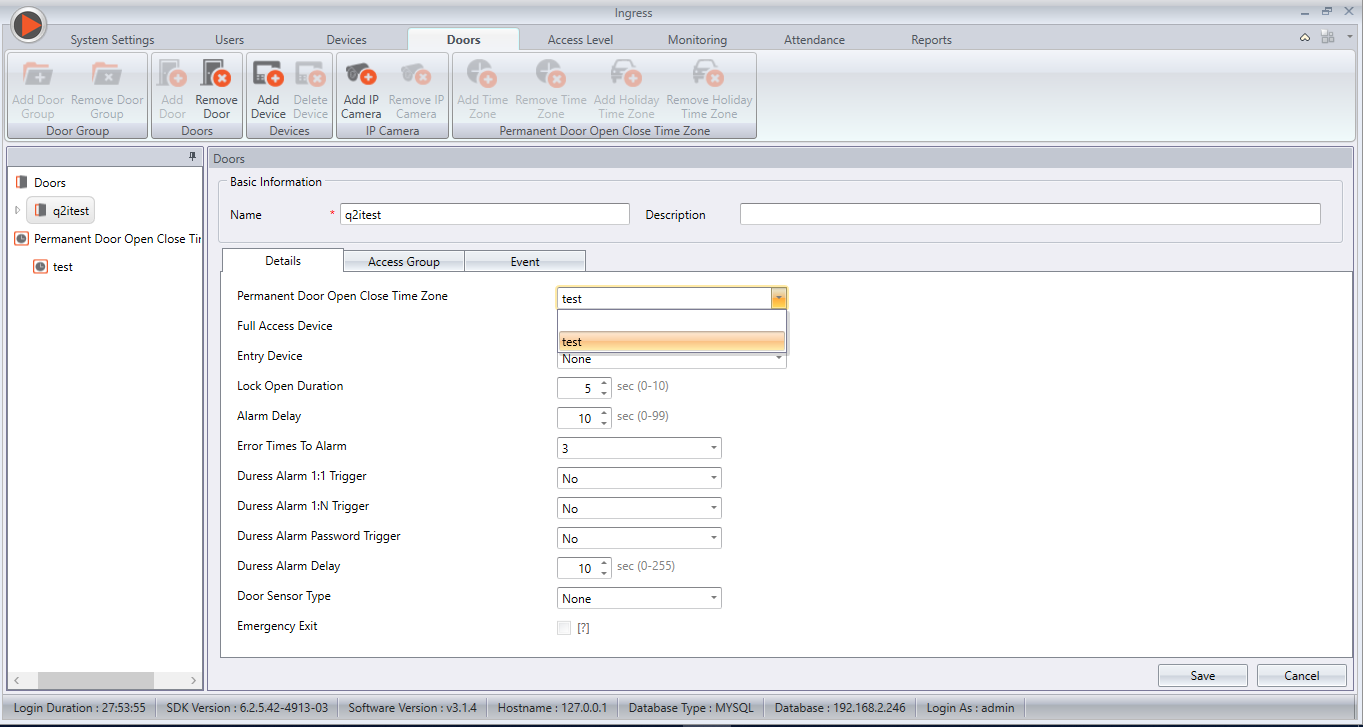
4) At the Permanent Door Open Close Time Zone, click on the drop down list.

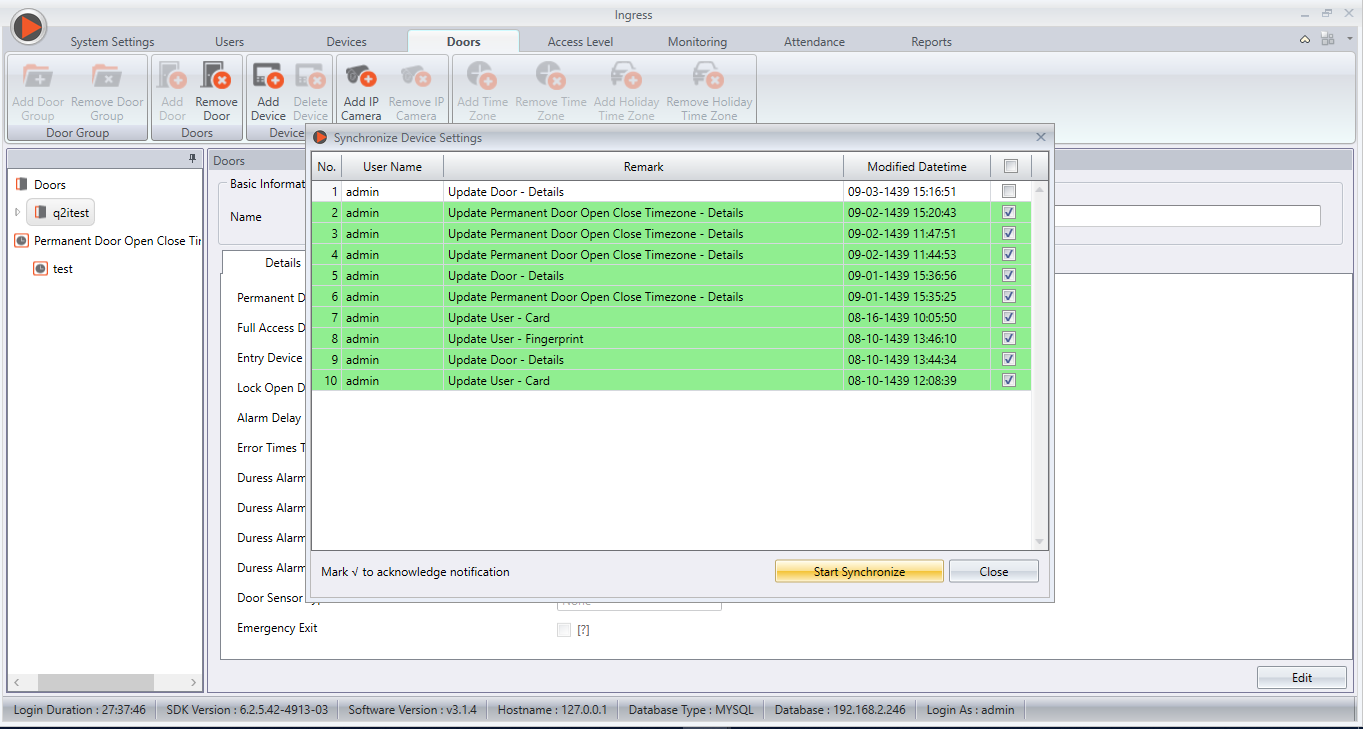
5) Synchronize the changes to the device (Q2i).
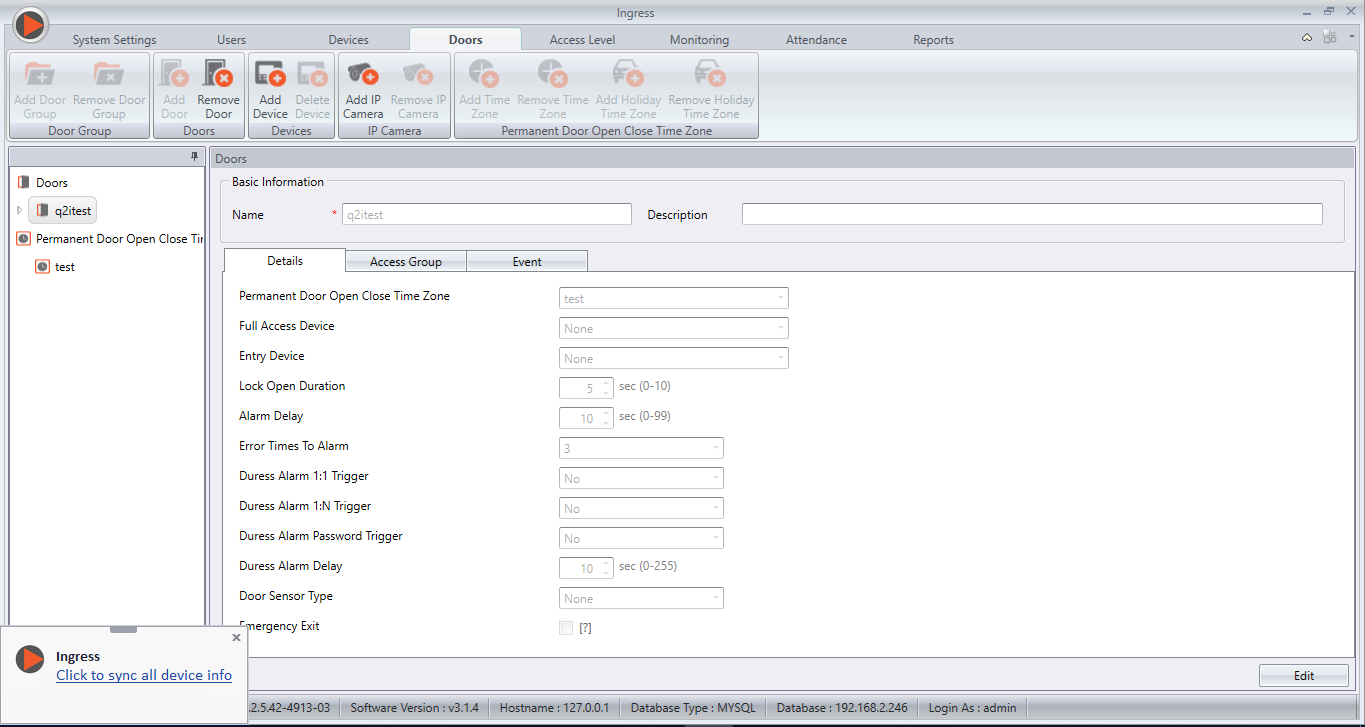

6) Sync and restart your device.

You can also refer to this http://www.fingertectips.com/2016/05/the-flexibility-ingress-gives-your.html for more information about Ingress Permanent Door Open Close Feature.

FingerTec Authorized Reseller can now login and download the latest firmware of Q2i FEM800 at http://tips.fingertec.com/tips-download-firmware.php. For end users, please contact your local reseller or FingerTec Support Team to acquire this latest firmware update.

Note: If some of the screenshots or steps viewed here are different from the ones in the current system, this is due to our continuous effort to improve our system from time to time. Please notify us at info@timeteccloud.com, we will update it as soon as possible.

FingerTec Kadex - i-Kadex Firmware Enhancements


Introduction
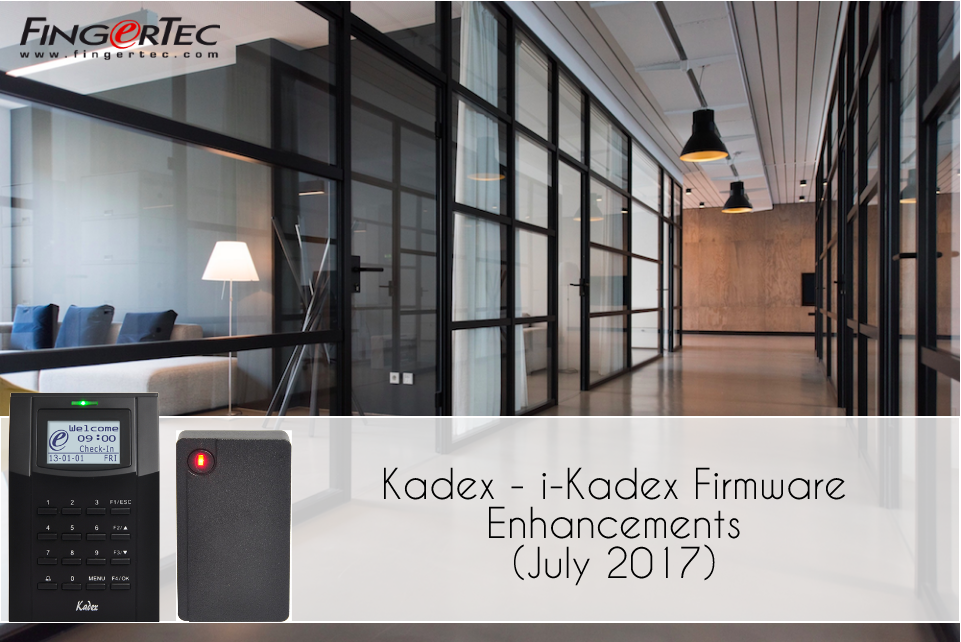
FingerTec Kadex is an Access Control and Time Attendance smart card reader. This terminal allows password and card verification in both single and combination mode including Card only, Password only, Card/Password, and Card & Password verification styles. Furthermore, Kadex terminal can be used as an Entry and Exit terminal by pairing it to its compatible slave reader: i-Kadex. Please note that i-Kadex slave reader uses a Wiegand-out connection to master Kadex.

Fault & Fix
A) Fault:
Reportedly, on firmware build 3544-02, Ver 6.60 July 2014, paired Kadex and i-Kadex would malfunction while the user verification was selected as Card & Password. The error occurs whenever User A and User B performs card verification at Kadex (Entry Device) and on i-Kadex (Exit Reader) respectively, simultaneously. Following the error, the door would not be released and both user A and B will fail to access the supposed door. As a result, Kadex terminal faces a temporary “Hang” before returning to normal functional mode.

B) Fix:
With reference to the fault description, FingerTec hardware developers have released firmware build 3544-02, Ver 6.60 March 2017. This firmware changes the behavior of the terminal on a similar scenario, whereby User A verifies at the entry device (Kadex) while the concurrent verification of User B at the exit terminal (i-Kadex) will be rejected until the Card and Password entry of User A is completed.

*Please consult your reseller or direct your enquiry to support@fingertec.com before updating your device firmware.

Face ID 3 New Firmware (10 August 2017)


FingerTec have updated Face ID 3 firmware to include the much anticipated feature: Per Day Verification Type as well as an additional Verification type - Face or Password & Card.
Feature Description
With Per Day Verification, user can now set a specific verification style for a particular day and time. For example, the usual Monday to Friday can be customized to “Face Only” during office hours (8am – 5pm), and “Face & Card” for out of office hours (5pm – 8am) while Saturday and Sunday can be arranged to “Face & Card” for the whole day.
This feature is suitable for company who wishes to strengthen their security after working hours and during rest days.
Feature Settings
To enable this feature in Face ID 3, first you need to update the firmware to version 4835-01 or later. Then download a tool from the link below in order to enable this function.
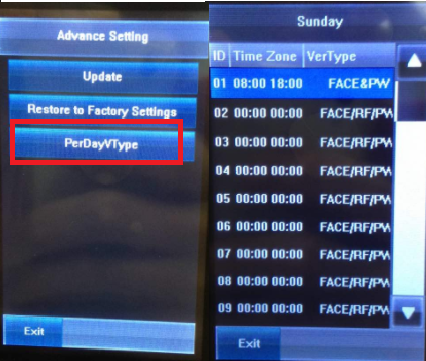
The settings of this feature can be manually set in the device [System > Advance Setting > PerDayVType] as shown in the picture below.
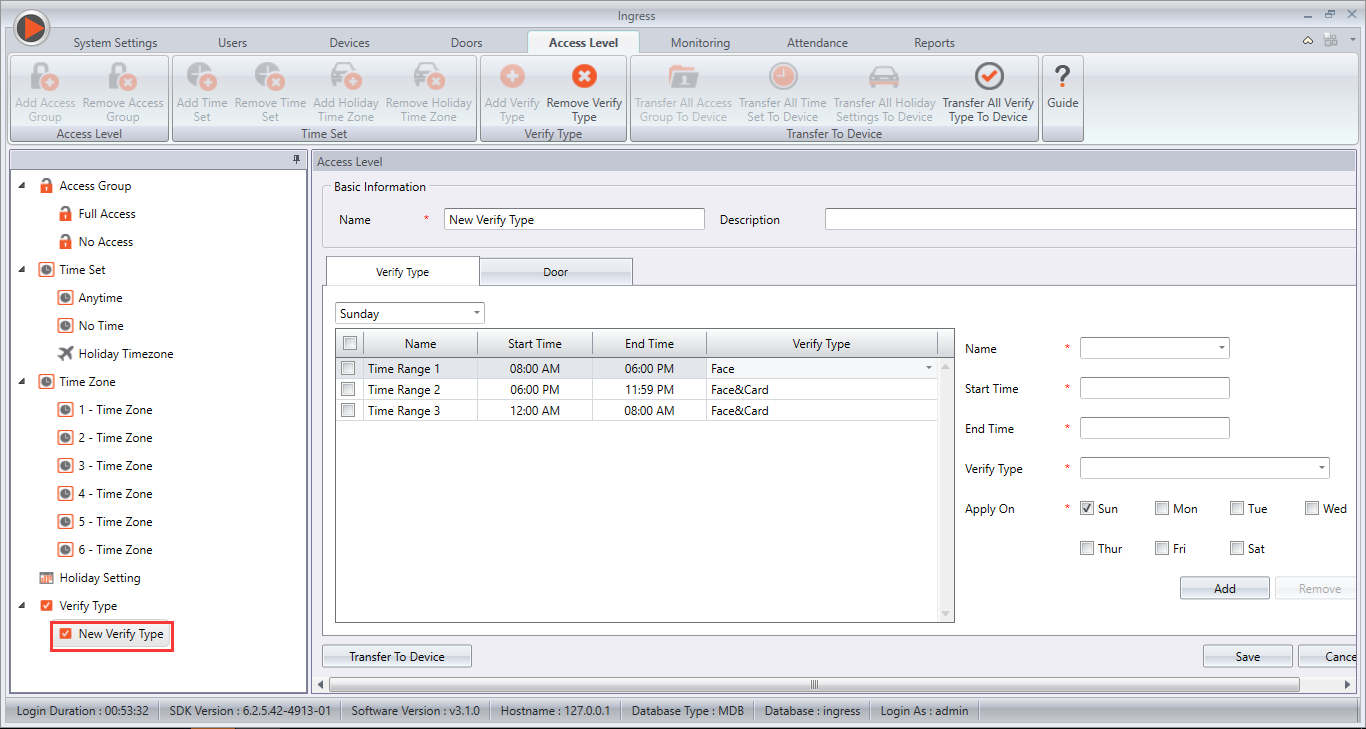
Alternatively, if the Face ID 3 is connected to Ingress Software, the settings can then be done under Access Level > Verify Type. After setting up the verify types and time zone, please make sure to Add Door and synchronize the device in order for it to take effect.

Remark: If PerDay Verification Type is turned ON, group and individual verification type will not be active. If timezone is not set in PerDay Verification Type, default type will be selected instead,  which is Face, Password or Card.
FingerTec authorized reseller can login and download the latest firmware at http://tips.fingertec.com/tips-download-firmware.php. For end users, please contact your local reseller or FingerTec Support team to acquire this latest firmware update.

New Firmware Update for Kadex and R2


Previously, it was reported that it would be a delay in door release when the card was produced in front of the R2 and  Kadex terminal.  

FingerTec has released the new firmware for both R2 and Kadex to solve this issue. 

You can now download the Kadex's & R2’s latest firmware here.